
Family Sharing
If your purchased eTicket membership supports Apple Family Sharing, please follow the steps below to set it up.
1. Set Up Family Sharing
Create a Family Group (Organizer)
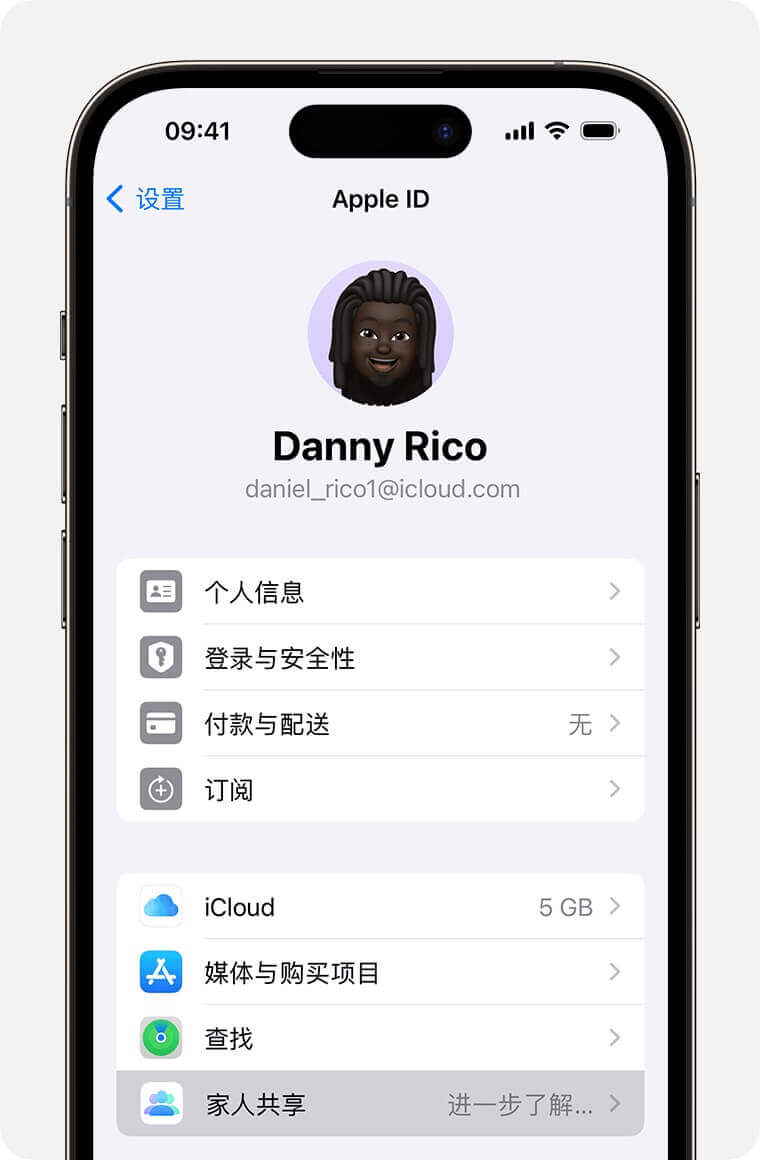
Open the "Settings" app, tap your name > "Family Sharing", tap "Set Up Your Family", and follow the onscreen instructions to set up your family and invite family members.
Invite Family Members (Organizer)
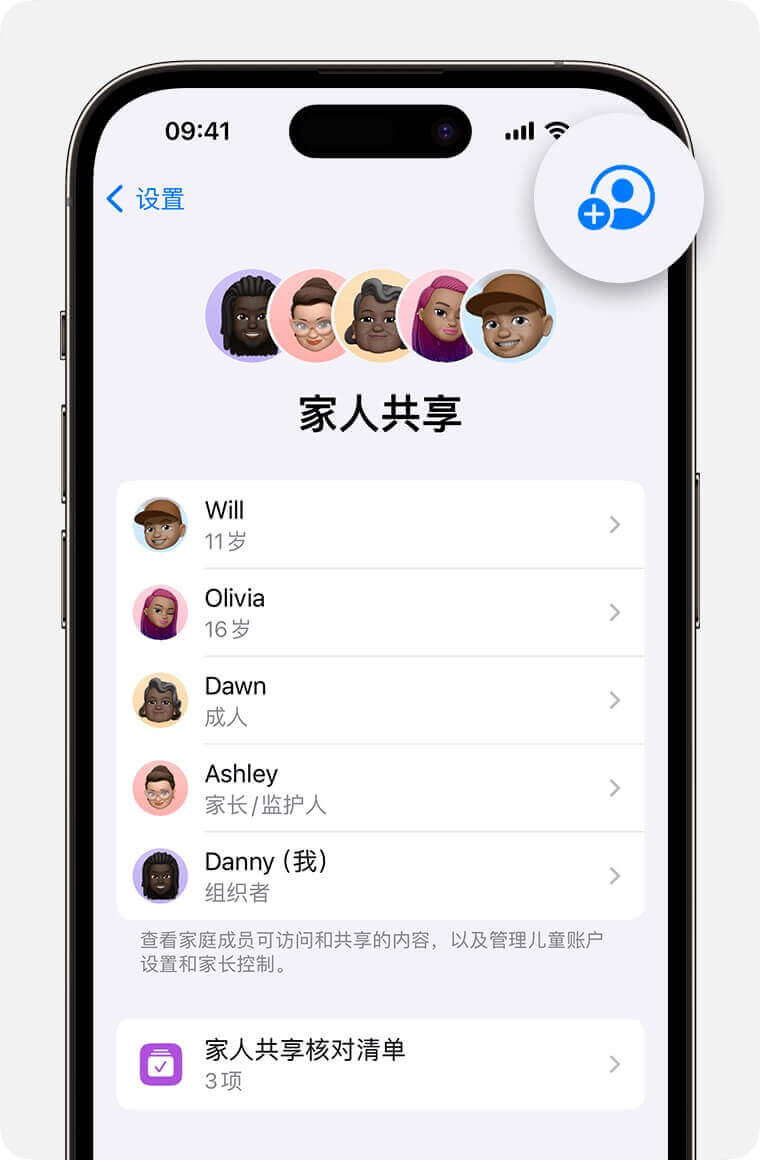
Open the "Settings" app, tap "Family Sharing" > "Add Member" > "Invite Others".
The invitee can accept the invitation by entering their Apple ID password on your device.
Join the Family Group (Family Member)
After sending the invitation, family members will receive an email or text message, where they can accept the invitation.
Turn on Purchase Sharing (Organizer & Family Member)
Open the "Settings" app, tap your name > "Family Sharing" > "Purchase Sharing", tap "Continue", and follow the onscreen instructions to turn on purchase sharing.
Note
- A person can only be part of one family group at a time.
- The Apple ID used for Family Sharing must be the same as the one used for the App Store.
- The App Store country/region settings must be the same for all family members.
- 🔴 Both the organizer and family members must turn on Purchase Sharing.
Official Apple Support
2. Use Shared Purchases
Verify Purchase Sharing (Family Member)
Open the App Store, tap your profile picture in the top right > "Purchased" > "Family Purchases", and verify that you can see the organizer's shared purchases (e.g., eTicket app).
Access Shared Membership Benefits (Family Member)
After downloading the eTicket app from the App Store, the family member can tap "Restore Purchases" on the membership purchase page in eTicket to access the benefits.
Note
🔴 After turning on Purchase Sharing, it takes some time (ranging from 1 hour to 3 days) for family members to see the shared purchases and access the membership benefits.
If restoring purchases fails in the eTicket app, please be patient. This process is entirely handled by Apple, and developers cannot intervene.
If restoring purchases still fails after 3 days, please contact me. Thank you for your support.